
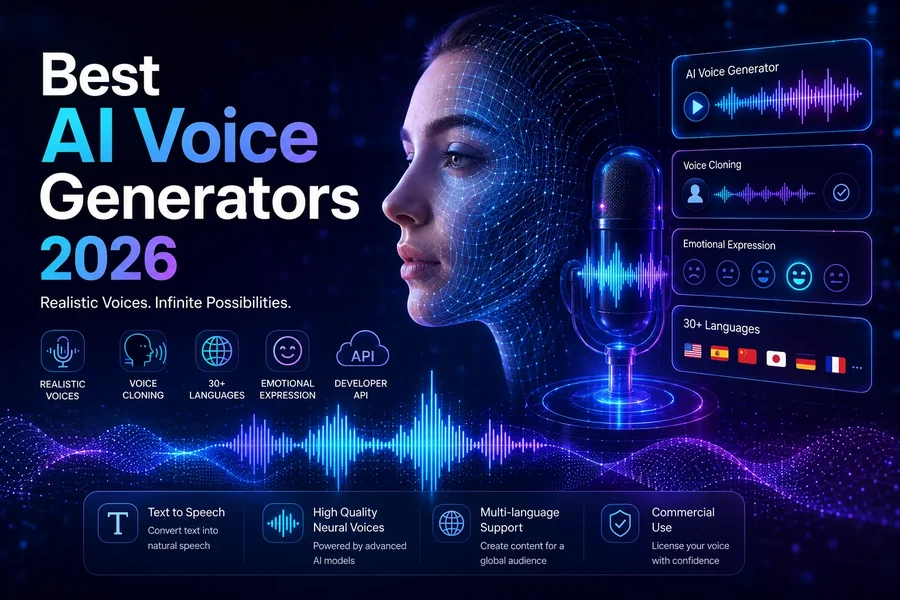
Voiceovers play an important role in videos, podcasts, online courses, advertisements, and digital storytelling. However, recording professional-quality audio can require suitable equipment, a quiet environment, and considerable editing time. AI voice generators offer an alternative by turning written scripts into spoken audio with natural-sounding voices and different accents.
The Best AI voice generators with realistic accents help creators produce narration that sounds clearer, more expressive, and appropriate for different audiences. Whether you need American English for YouTube videos, British English for educational content, or other regional accents for international campaigns, modern text-to-speech tools provide flexible options for voice production.
Choosing the right platform involves more than finding a voice that sounds realistic. Speech clarity, pronunciation, emotional expression, language support, and licensing terms all influence the final result. Understanding these factors can help you create audio that feels natural and professional.
Why Realistic AI Voices Matter
A realistic voice can make digital content easier to follow and more engaging. When narration sounds natural, listeners can concentrate on the message instead of becoming distracted by robotic pronunciation or unnatural pauses.
Accent selection is particularly important for reaching different audiences. A familiar accent may help educational videos, product demonstrations, and advertisements feel more accessible to their intended listeners. However, clarity matters more than choosing an accent simply because it sounds distinctive.
AI voice generators also save time by allowing creators to revise scripts without recording every sentence again. Changes to product names, lesson materials, or promotional messages can often be regenerated quickly.
Creative resources such as symbolhubb may also support brainstorming for branding-related projects. Combining a consistent visual identity with an appropriate voice can help creators develop a more recognizable presence across videos, websites, and marketing campaigns.
Best AI Voice Generators to Consider
Several established platforms offer text-to-speech features for different creative and professional needs.
- ElevenLabs
ElevenLabs is known for expressive synthetic voices and multilingual speech generation. Depending on the available model and plan, users can choose different voice styles, adjust delivery, and create narration for videos, audiobooks, and other projects. It is worth considering when natural-sounding speech is a priority.
- Murf AI
Murf AI focuses on voiceovers for presentations, training materials, advertisements, and business videos. Its interface supports voice selection and audio customization, making it useful for creators who want to coordinate narration with visual content.
- PlayHT
PlayHT offers AI-generated speech for content creation and other voice applications. Its available voices, languages, and controls can support projects such as podcasts, narrated articles, and digital learning materials.
- Speechify
Speechify converts written material into spoken audio and offers features designed for listening to documents and other text. It can be useful for creators who want to produce narrated content or listen back to written scripts before recording or publishing.
- Google Cloud Text-to-Speech
Google Cloud Text-to-Speech provides developers with speech-generation capabilities through a cloud service. Its available voices and language options make it suitable for applications, automated announcements, and scalable audio workflows that require technical integration.
Voice libraries, accent choices, pricing, and usage limits vary between platforms. Check each provider’s current features and licensing terms before committing to a subscription.
How to Choose the Right AI Voice Tool
Start by identifying the type of content you produce. YouTube creators may prioritize expressive narration and quick script revisions, while businesses may need consistent voices for training videos and customer-facing announcements. Developers may prefer an API that integrates speech generation into an application.
Next, test voices using your actual script. A voice can sound impressive in a short demonstration but struggle with technical vocabulary, unfamiliar names, abbreviations, or long sentences. Listen for natural pacing, pronunciation accuracy, and appropriate emphasis.
Accent authenticity also deserves attention. Look for voices designed for the specific language and regional variety you need. A broad label such as British or American English does not guarantee that every pronunciation will match your audience’s expectations.
Consider practical factors such as audio export formats, editing controls, commercial usage rights, and monthly character limits. If your content is published regularly, predictable pricing and a straightforward workflow may be just as important as voice quality.
Tips for Creating Natural AI Voiceovers
Write scripts for listening rather than simply copying text written for reading. Shorter sentences, clear transitions, and straightforward vocabulary generally produce easier-to-follow narration.
Use punctuation to support natural pauses, and check how the system pronounces names, numbers, dates, and specialist terms. If the platform provides pronunciation controls, use them to correct difficult words before generating the final recording.
Listen to the complete audio before publishing. Check for unnatural emphasis, abrupt transitions, inconsistent pronunciation, and pacing that feels too fast or slow. Adjust the script or voice settings where necessary.
Finally, use voices responsibly. Follow platform policies, respect voice-cloning consent requirements, and avoid impersonating real people without authorization. Disclose synthetic audio when required by applicable rules or platform policies, particularly when realistic content could mislead an audience.
Final Thought
AI voice generators make it easier to produce narration with varied accents, consistent delivery, and flexible editing options. ElevenLabs, Murf AI, PlayHT, Speechify, and Google Cloud Text-to-Speech each serve different needs, from creative voiceovers to technical speech applications.
The best option depends on your audience, preferred accent, budget, and production workflow. Test several voices, verify pronunciation, and review the final audio before publishing. With thoughtful scriptwriting and careful voice selection, AI-generated narration can support engaging content across many digital platforms.
FAQs
1. What are the best AI voice generators with realistic accents?
ElevenLabs, Murf AI, PlayHT, Speechify, and Google Cloud Text-to-Speech are useful options, depending on the desired voice style, language support, and intended application.
2. Can AI voice generators produce different English accents?
Yes, many platforms offer voice options for regional varieties such as American and British English, although the available accents differ by provider and model.
3. Are AI-generated voices suitable for YouTube videos?
Yes, AI voices can be used for narration, tutorials, and explainers, provided the content follows YouTube’s applicable monetization, copyright, and disclosure policies.
4. Can I use AI-generated voiceovers commercially?
Some platforms permit commercial use under specified plans or licenses, but you should review the provider’s current terms before using generated audio in paid projects.
5. How can I make AI narration sound more natural?
Use clear scripts, test pronunciation, adjust pacing and pauses, select a suitable voice, and listen to the complete recording before publishing.
