
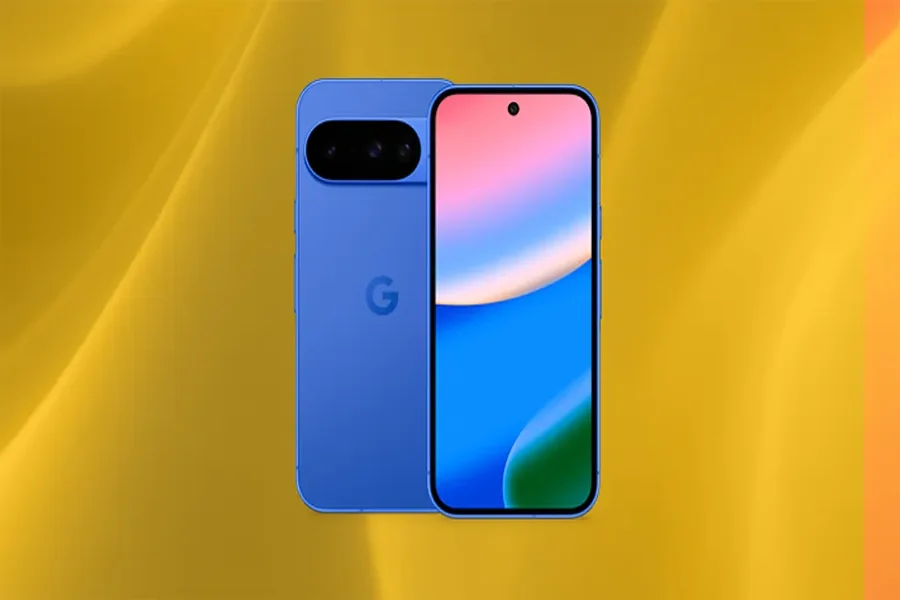
Google Pixel water resistance can provide useful protection against everyday accidents, such as rain, splashes, or brief exposure to water. However, water resistance does not mean a phone is completely waterproof. The level of protection depends on the specific Pixel model, its IP rating, and the condition of the device.
Understanding these limitations can help you avoid costly repairs and protect your phone during daily activities. A phone that survives a small splash may still be damaged by prolonged immersion, high-pressure water, or exposure to liquids other than fresh water.
If you enjoy learning about smartphone features and practical technology tips, pixelspinx may also be a helpful resource. This guide explains what water resistance means, how IP ratings work, and what you should do if your Google Pixel gets wet.
1. What Does Google Pixel Water Resistance Mean?
Water resistance describes a device’s ability to limit water entering its internal components under specified test conditions. Many Google Pixel models have an IP rating, which indicates how well the device is protected against dust and water under standardized testing.
For example, some Pixel models carry an IP68 rating, while other models may have different protection levels. You should check the specifications for your exact device rather than assuming every Pixel offers identical resistance.
Water resistance is designed to reduce the risk of damage from certain types of accidental exposure. It does not guarantee protection in every situation, and it should not be treated as permission to deliberately submerge your phone.
The phone’s condition also matters. Drops, cracks, worn seals, previous repairs, and normal aging can reduce the effectiveness of protective barriers. A device that was water-resistant when new may not offer the same protection after physical damage.
For everyday use, it is sensible to treat water resistance as an additional safety feature rather than a replacement for careful handling. Keep your Pixel away from unnecessary moisture whenever possible.
2. Understanding IP Ratings on Google Pixel Phones
An IP rating, or Ingress Protection rating, describes a device’s protection against solid particles and water. The first digit refers to protection against solids such as dust, while the second digit refers to water protection.
For example, an IP68 rating indicates a high level of dust protection and a specified level of water resistance under controlled conditions. However, the rating alone does not mean the phone can withstand every water-related situation.
The exact test conditions, including immersion depth and duration, depend on the device manufacturer’s specifications. Always consult the official specifications for your particular Pixel model to understand its tested limits.
It is also important to distinguish laboratory testing from everyday use. Tests are conducted under controlled conditions, but real-life exposure can involve movement, pressure, temperature changes, soap, or other substances that behave differently from fresh water.
An IP rating does not guarantee that a phone will remain undamaged after repeated water exposure. It is best to avoid testing the limits of your device, even if its rating suggests strong protection.
3. Situations Where Water Resistance May Not Be Enough
Water resistance can be useful during unexpected splashes, but certain situations carry a higher risk of damage. Understanding these limits helps you make safer decisions when using your Pixel outdoors or near water.
Swimming and prolonged immersion: Do not assume your phone is suitable for swimming, snorkeling, or underwater photography. Water movement, pressure, and longer exposure can increase the chance of liquid entering the device.
Showers and high-pressure water: Hot water, steam, and forceful water streams can create conditions that differ from standard resistance tests. Avoid taking your phone into a shower or directing water at it.
Salt water and chlorinated water: Seawater and swimming pool water contain substances that may corrode or leave deposits on device components. If your phone comes into contact with these liquids, follow the manufacturer’s cleaning guidance.
Soap, drinks, and other liquids: Soapy water, beverages, and cleaning products may leave residue or damage materials differently from fresh water. Water resistance should not be assumed to protect against all liquids.
Damaged devices: Cracks, loose components, and previous repairs may weaken the seals that help prevent water from entering. If your phone has been damaged, use extra caution around moisture.
4. What to Do If Your Google Pixel Gets Wet
If your Pixel gets wet, acting carefully can reduce the risk of further damage. First, remove the phone from the source of moisture and disconnect any cables or accessories.
If the device is connected to a charger, unplug it safely without touching wet electrical connections. Do not charge the phone while its USB-C port or cable is wet, as moisture can create a risk of damage.
Wipe the exterior with a soft, clean cloth. Hold the phone so that the charging port faces downward and allow excess moisture to drain naturally. Leave the device in a dry, well-ventilated place and allow it to dry fully before attempting to charge it.
Do not use a hair dryer, heater, oven, or other direct heat source. Avoid inserting cotton swabs, paper, or sharp objects into the charging port. Do not place the phone in rice, as small particles can enter openings and the method does not reliably remove internal moisture.
If your Pixel displays a moisture warning, follow the on-screen instructions and wait until the port is dry. If the phone behaves unusually, becomes hot, or shows signs of internal damage, stop using it and contact support.
5. How to Protect Your Pixel From Liquid Damage
The best way to protect your phone is to reduce unnecessary exposure to water. Avoid leaving it beside sinks, on wet surfaces, or near swimming pools where it could accidentally fall into liquid.
A suitable protective case can help protect against impacts and everyday wear, although not every case provides water protection. Check the manufacturer’s claims carefully and never assume a regular case makes the phone waterproof.
Inspect your device for cracks or damage, particularly after a significant drop. If the phone has undergone a repair, remember that its original resistance may not be fully restored unless the repair process and replacement parts maintain the appropriate seals.
Keep liquids away while charging and avoid handling cables with wet hands. If you use your phone outdoors in rainy weather, keep exposure brief and dry the device promptly afterward.
Most importantly, back up important photos, contacts, and documents regularly. Water damage can occur unexpectedly, and having a recent backup can help protect your information if the device stops working.
Final Thought
Google Pixel water resistance provides valuable protection against some accidental liquid exposure, but it is not a guarantee against water damage. IP ratings describe performance under specific test conditions, and protection can vary by model, device condition, and the type of liquid involved.
Check your Pixel’s official specifications, avoid deliberate submersion, and keep the phone away from high-pressure water, steam, and corrosive liquids. If your device gets wet, dry its exterior carefully and wait until ports are completely dry before charging. Treating water resistance as a helpful safeguard rather than complete waterproofing can help extend your phone’s life.
FAQs
Are all Google Pixel phones water-resistant?
No, water resistance varies by Pixel model. Check the official specifications for your exact device to confirm its IP rating and tested protection level.
Does an IP68 rating mean my Google Pixel is waterproof?
No, IP68 indicates a specified level of dust and water protection under controlled testing conditions. It does not guarantee protection in every real-world situation.
Can I use my Google Pixel while swimming?
It is not recommended to deliberately submerge your phone for swimming or underwater photography. Water pressure, movement, and exposure can increase the risk of damage.
Can water resistance decrease over time?
Yes, normal wear, physical damage, cracks, and certain repairs can weaken a phone’s protective seals. A device’s original water resistance should not be assumed to remain unchanged forever.
Should I charge my Pixel immediately after it gets wet?
No, do not charge the phone while its charging port or cable is wet. Let the device dry naturally and follow any moisture warnings before connecting a charger.
